(A) Why there is a sign-in method change?
Microsoft has recently announced its plan to phase out free SMS/Voice authentication methods of receiving MFA One-Time Passcode (OTP) and promote passkeys as a modern sign-in method to replace traditional SMS and voice call OTP authentication. This change applies to all HKU accounts used to access Microsoft services and HKU Single-Sign-On (SSO) enabled service, including HKU portal, Microsoft 365 services (such as Exchange Online, OneDrive, Teams, SharePoint Online), Azure services and Power Platform services. It covers all HKU central account domains, including @hku.hk, @connect.hku.hk, @graduate, etc.
To align with Microsoft’s security direction and implementation roadmap, all HKU members should be aware of the following two changes to HKU account sign-in methods:
(1) All SMS and voice call authentication methods for receiving One-Time Passcode (OTP) will be discontinued starting in February 2027.
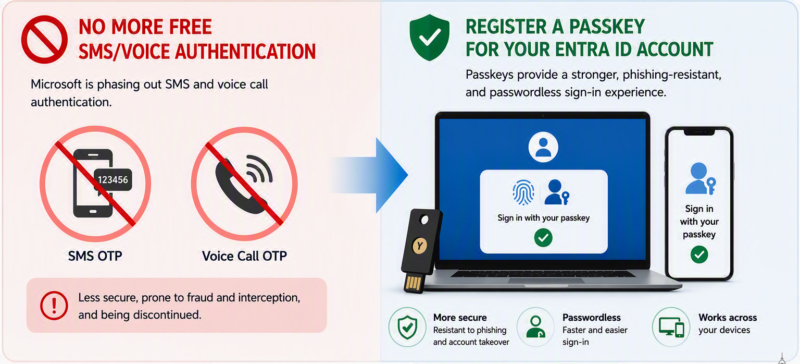
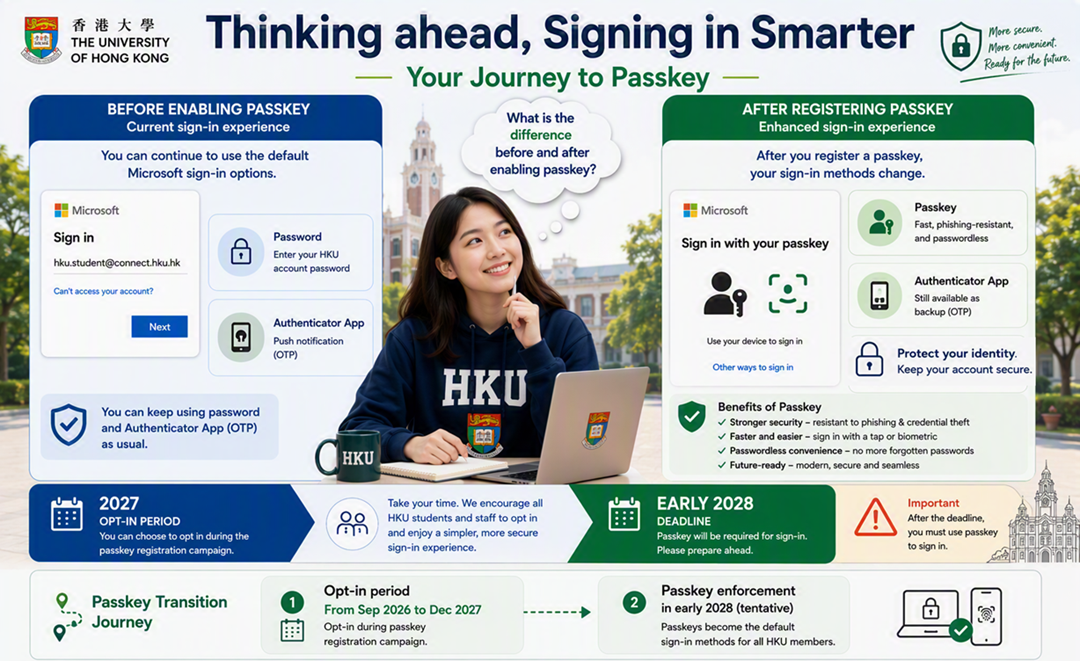
(2) All HKU members will be invited to opt-in to register a passkey in phases starting from September 2026, with tentative scheduled passkey enforcement in early 2028. Before a passkey is enabled for your account, there will be no changes to your existing sign-in methods with Microsoft Authenticator App. If you belong to one of the eligible user groups in part D, you can access the passkey registration websites mentioned in part D to opt-in and register your passkey.
(B) What sign-in options during transition to Passkeys would be available?
- Before passkey registration: You can continue to use your password together with Microsoft Authenticator App OTP codes or push notifications for authentication to sign your HKU account. Only the SMS & voice authentication methods will be discontinued starting from the deadline mentioned in part (A).
- After enabling passkey (either Opt-in to passkey or during passkey enforcement): Upon your next successful sign-in, your account will be included in the phased passkey registration programme. Once a passkey has been registered, it will become the default authentication method for your account.

This table outline the difference before and after enabling passkey:
| Before passkey registration | After enabling passkey | |
| Default sign-in methods to HKU SSO and Microsoft 365 services | No changes to the current sign-in method. Continue using password and Microsoft Authenticator App push notifications or OTP codes | Passkey will become default sign-in method |
| Conditional access from different network | Same as before, when sign-in from outside campus network, MFA authentication will be required | Passkey is still the default sign method no matter if sign-in from any network. |
| In the case of a lost phone? | Staff and students can request an MFA reset using the phone number registered in the HKU Portal | Can still sign in with MFA reset or if an additional set of passkeys is stored in Apple iCloud keychain, Google Password Manager or Windows Hello. |
| SMS/Voice authentication sign-in methods for receiving One-Time Passcode (OTP) | Disabled by Microsoft deadline in both cases | |
(C) What is a Passkey?
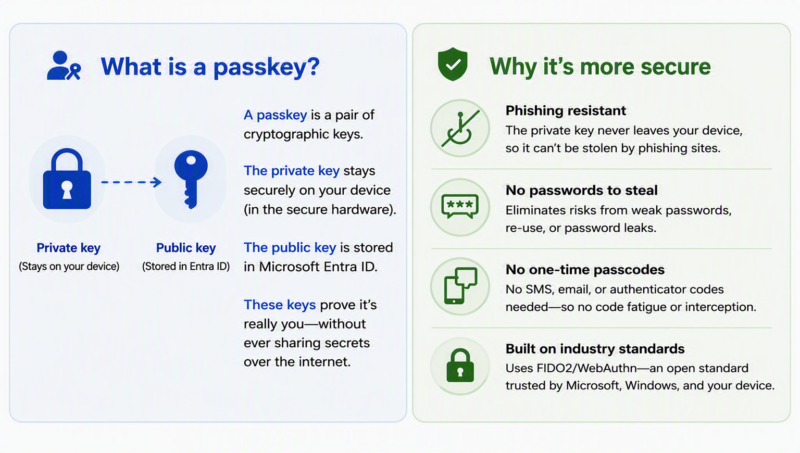
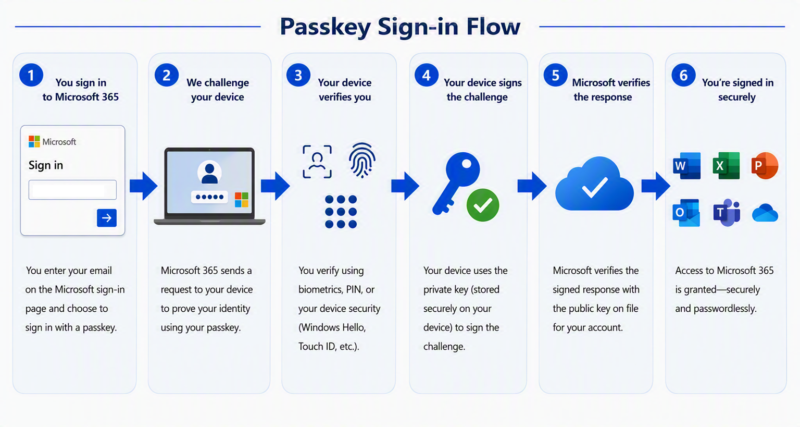
A passkey is a modern authentication credential that replaces traditional passwords. It leverages cryptographic keys stored securely on your device, enabling password-less login through biometric verification (such as fingerprint or facial recognition) or PIN. Passkeys are difficult to phish or share, offering a significantly higher level of security while simplifying access. The following diagram illustrates how passkey authentication works. Since the private key never leaves the user’s device or traverses the network, there is no password that can be intercepted or stolen.