

Activity Chooser with Purpose-based Categories
The Activity Chooser has been improved in Moodle 5.1 and bring about smarter categorisation. Activities are now grouped by purpose. Now, when we add an activity or resource, we can see a menu on the left containing categories of: assessment, collaboration, communication, resources, and interactive content.
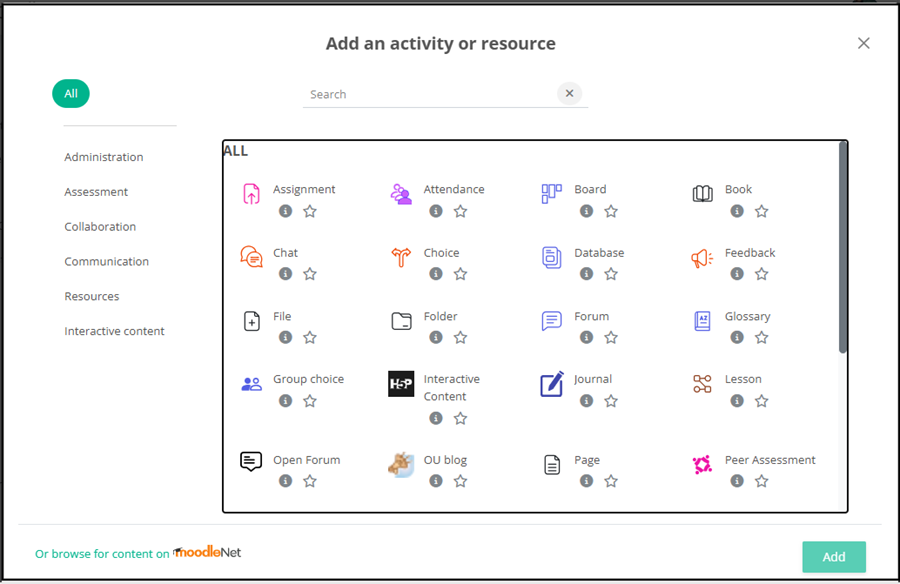
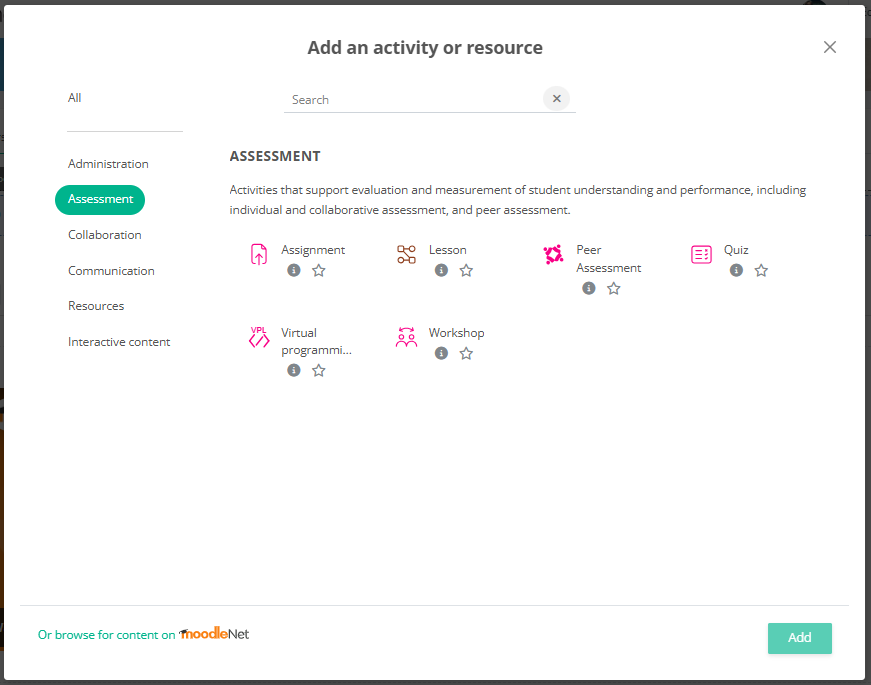
For instance, in the screenshot below, we can find activities related to assessment purpose and it’s categorised under ‘Assessment’.
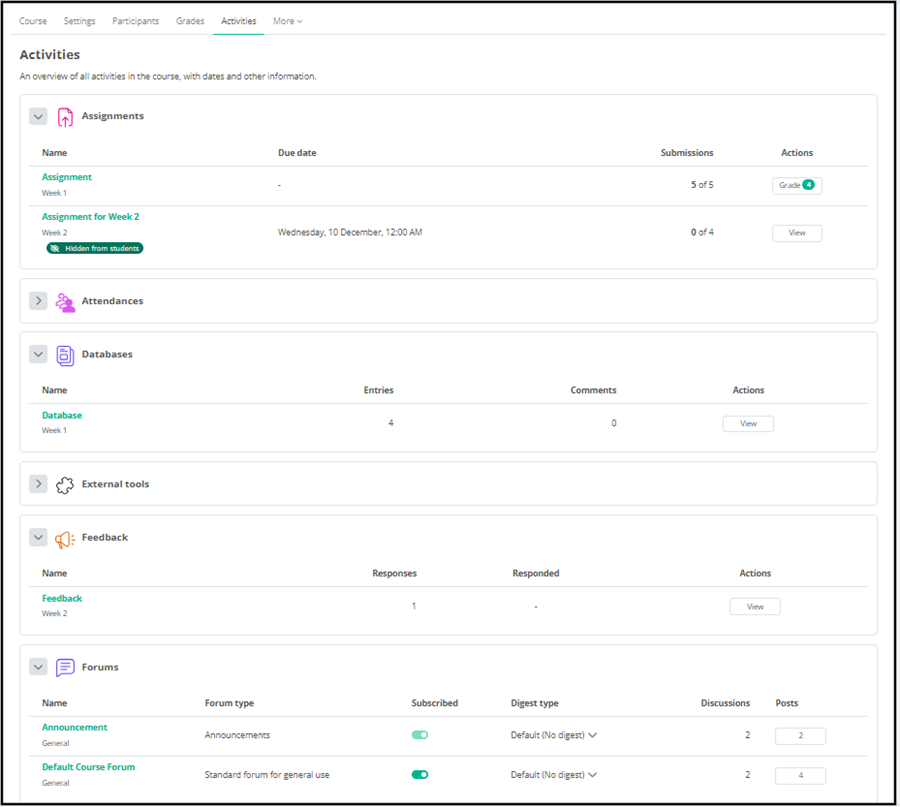
Activities Overview
The Activities Overview can be found as one of the tabs in the Course Navigation bar located at the top of a course front page. Both teachers and students can now view a page listing all the activities and resources available in each individual course for an overview of information, such as assignment due dates, submission details and updates on posts in forums.
Resizable PDF Editor for Moodle Assignments
Currently, when teachers enable the use of ‘Annotate PDF’ under the assignment setting, we can use pdf annotation viewer to view, grade and feedback on students’ work. However, the panel size cannot be adjusted.

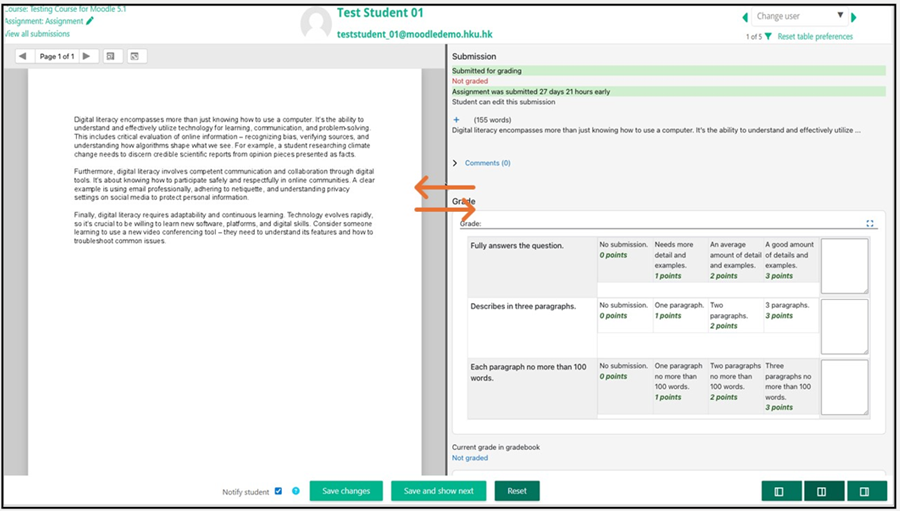
In this new upgrade, teachers can grade the submitted work with the ability to resize the border between the PDF editor and the grading panel. This could be particularly helpful when grading with a large rubric table or when you want to view more the details of both grading and the students’ work.
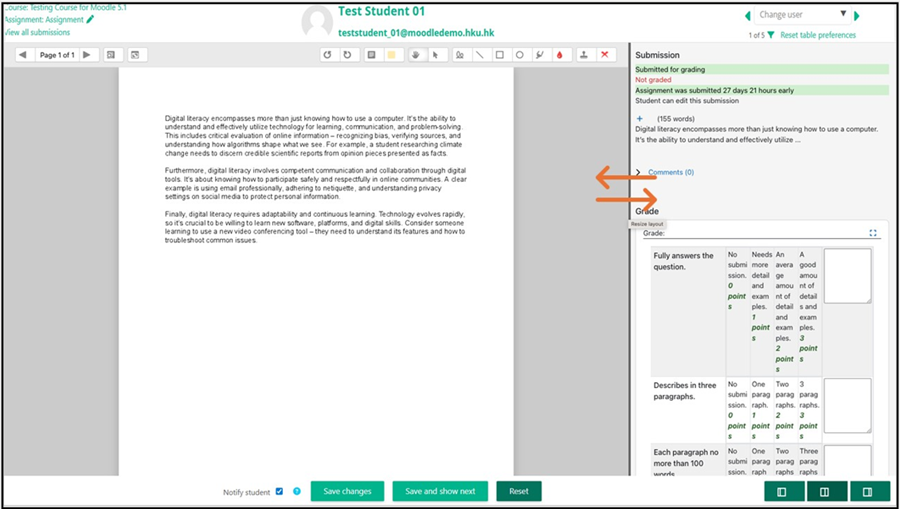
The screenshot below demonstrates how the divider moved to the left with leaving more spade to the rubric on the right.
Feedback File Downloads Logged
The action of downloading feedback files from a Moodle Assignment activity will now be included in the report logs. This is helpful if a teacher wants to know if the students are accessing the feedback files for the benefit of their learning.

Enhanced Question Banks for Teachers
The question bank has undergone significant enhancements in a hope to streamline the tasks of educators. New filters now allow searching by question type, name, identification number, modification date, owner, or even within the content of questions and feedback. This implies considerable time savings for teachers and their teams when managing large collections of questions.
Shared Course Question Banks
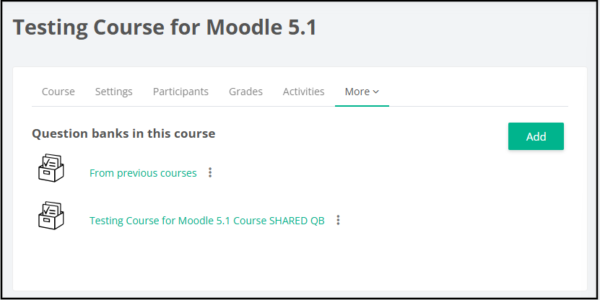
From Course navigation > More > Question banks, you can access Question Bank(s) with questions which may be reused by you and other teachers in the course and in other courses where you and others have the teacher role.
Adding Questions to Quizzes from Question Banks
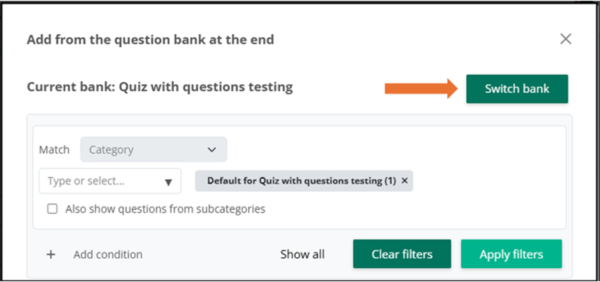
Now, when we click ‘from question bank’ to add an existing question during quiz setup, we can see the option of Switch bank.
After addition, the questions from other shared banks will be shown in green pill. When a shared question is modified, it is modified for all areas where it is used.
